Unified Threat Management Market Size, Trends Analysis and Forecast by 2033
Other |
2026-07-07 14:11:00
 Russian
 English
 Romaian
 Portuguese (Brazil)
 Greek
Greek
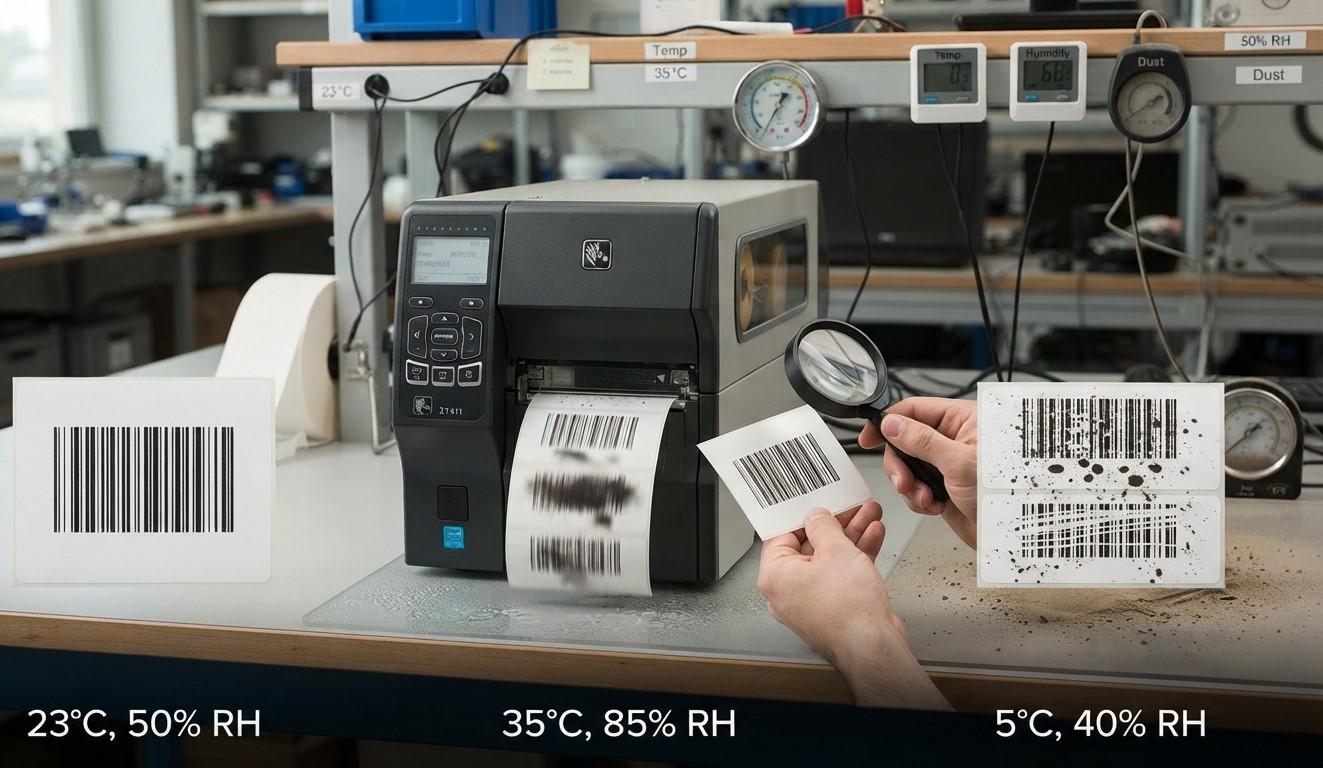
Barcode printing quality plays an important role in inventory management, product identification, shipping, warehousing, and retail operations. However, even with a reliable barcode printer, environmental conditions can affect the clarity, durability, and readability of printed labels. Temperature fluctuations, excessive humidity, and dust are common factors that can lead to poor print quality and barcode scanning problems.
Businesses that understand these environmental challenges can take preventive measures to maintain consistent printing performance. Whether you operate a warehouse, manufacturing facility, retail store, or distribution center, controlling your printing environment can help reduce label waste, minimize downtime, and improve operational efficiency.
Pointus Solutions helps businesses explore barcode printing technologies and supplies suited to their operational requirements. Through Shop Barcode, businesses can explore relevant printing equipment and Printing Products to support reliable barcode labeling.
Barcode printers rely on consistent printing conditions to produce clear lines, spaces, and patterns that scanners can read accurately. Environmental factors can interfere with the printer's operation, the performance of printing materials, and the condition of finished labels.
For example, high temperatures may affect adhesives or label materials, while humidity can cause paper labels to absorb moisture. Dust can accumulate on printheads, sensors, and rollers, potentially creating defects in printed barcodes.
These issues may result in:
Understanding these factors allows businesses to choose suitable equipment, printing materials, and storage practices for their working environments.
Temperature can influence printer performance, label materials, adhesives, and thermal printing processes. Both excessively high and low temperatures can create challenges, depending on the printer type and supplies being used.
High temperatures can soften certain label adhesives, making labels more likely to leave residue on printer components or stick to surfaces before they are correctly applied. Heat may also affect the stability of some label materials and ribbons.
For thermal printers, excessive ambient heat can influence how heat-sensitive labels respond during printing. Depending on the media and printer settings, this may contribute to dark printing, reduced contrast, or inconsistent results.
In warehouses and manufacturing environments, printers positioned near machinery, heating equipment, or direct sunlight may be particularly vulnerable.
Cold conditions can make some adhesives less effective, especially when labels are applied to cold products or packaging. Labels may struggle to bond properly, curl at the edges, or detach during handling.
Low temperatures can also affect how certain materials behave when moved between cold and warm environments. Condensation may form when equipment or supplies are exposed to sudden temperature changes, creating additional printing challenges.
Businesses can improve printing consistency by:
Always check the specifications of both the printer and the consumables before using them in demanding conditions.
Humidity refers to the amount of moisture in the air. Excessive moisture can affect paper labels, adhesives, ribbons, and printer components, while extremely dry conditions may contribute to static electricity.
Paper labels can absorb moisture from humid air, potentially causing them to expand, curl, wrinkle, or lose dimensional stability. These changes can interfere with smooth feeding through a printer and affect barcode alignment.
Moisture may also affect label adhesion. Depending on the adhesive and application surface, labels may fail to bond securely or may peel away during storage and transportation.
In some environments, moisture exposure can contribute to smearing or deterioration of printed information, particularly when unsuitable materials are used.
Very dry conditions can increase static electricity, especially when plastic films, synthetic labels, and other materials move through printing equipment.
Static buildup can attract dust and cause media-handling difficulties. In some circumstances, it may also interfere with reliable operation of sensitive electronic equipment.
To reduce humidity-related problems:
For cold-chain operations, ensure the selected label and adhesive are suitable for both the storage temperature and the conditions present during application.
Dust is a frequent source of barcode printing problems in warehouses, factories, construction-related facilities, and other environments where airborne particles are common.
Dust, adhesive residue, and other contaminants can accumulate on the printhead. This buildup may prevent consistent contact or heat transfer during printing, resulting in missing lines, white streaks, or incomplete barcode elements.
A damaged or contaminated printhead can reduce barcode readability and may require cleaning, inspection, or replacement.
Printer rollers help feed labels through the machine. When dust or adhesive residue accumulates on them, media may feed unevenly, slip, or become misaligned.
Dust can also interfere with sensors responsible for detecting label gaps, black marks, or media positioning. This can lead to incorrect label positioning, skipped labels, or printing that starts in the wrong place.
Particles trapped between the printhead and the printing material can create defects or inconsistent print density. Dust on label surfaces may also interfere with printing or contaminate the adhesive side of a label.
Businesses should consider the following practices:
Avoid using compressed air or cleaning chemicals unless the manufacturer specifically permits them. Use the recommended cleaning materials and procedures to prevent damage.
Recognizing the symptoms of environmental damage early can help businesses avoid larger printing issues.
Common warning signs include:
These symptoms do not always indicate an environmental issue. Businesses should also check printhead condition, darkness settings, print speed, media compatibility, barcode design, and scanner performance.
Maintaining consistent barcode quality requires a combination of environmental control, proper equipment care, and suitable printing materials.
Whenever possible, install barcode printers in a clean, dry, temperature-controlled location. Avoid placing equipment close to open doors, dusty production lines, water sources, or machinery that produces excessive heat.
Create a cleaning schedule based on printer usage, environmental conditions, and manufacturer recommendations. High-volume printers operating in dusty facilities may require more frequent inspections than equipment used in clean offices.
Keep labels and ribbons within their specified storage conditions. Protect supplies from sunlight, moisture, excessive heat, and dust. Rotate inventory so older supplies are used appropriately before their recommended storage life is exceeded.
Print a sample label before starting a large production batch. Inspect the print for clear edges, adequate contrast, correct positioning, and consistent density. Scan the barcode with the equipment used in normal operations.
Where environmental changes are common, use temperature and humidity monitoring to identify conditions that could affect supplies or equipment. Document recurring issues to help determine whether the solution involves changing the printer location, adjusting maintenance schedules, or selecting different media.
The right printing supplies can make a significant difference when environmental conditions are challenging.
Businesses should consider the following factors before selecting labels and ribbons:
The most expensive material is not necessarily the best choice. The goal is to select supplies that meet the actual application requirements while maintaining reliable printing and scanning performance.
Businesses researching suitable equipment and consumables can explore Shop Barcode and review the available Printing Products offered by Pointus Solutions. Comparing product specifications against workplace conditions can help businesses make informed purchasing decisions.
Yes. Excessive heat can affect label materials, adhesives, and thermal printing behavior. Depending on the application, it may contribute to dark printing, curling, adhesive residue, or deterioration. Use supplies rated for the expected temperature range.
Yes. High humidity can cause paper labels to absorb moisture and change shape, potentially affecting feeding and print quality. Very dry conditions can increase static electricity. Proper storage and compatible printing materials help reduce these problems.
White lines may indicate printhead contamination, damaged printhead elements, or uneven printing. Dust and adhesive residue are possible causes. Clean and inspect the printhead according to the manufacturer's instructions.
Store labels in their original packaging in a clean, dry environment within the supplier's recommended temperature and humidity ranges. Protect them from sunlight, dust, moisture, and excessive heat.
The best option depends on the application. Synthetic label materials with suitable moisture-resistant adhesives may perform better than standard paper labels in damp conditions. Confirm that both the material and adhesive are rated for the intended use.
Cleaning frequency depends on the printer model, print volume, media type, and operating environment. Follow the manufacturer's maintenance schedule and inspect equipment more frequently when operating in dusty or high-volume settings.
Yes. Environmental conditions can contribute to faded printing, inconsistent bar widths, label distortion, or contamination. However, scanning failures can also result from poor barcode design, incorrect settings, damaged labels, or scanner configuration problems.
Temperature, humidity, and dust can all affect barcode printing quality, from the way labels feed through a printer to how well printed barcodes remain readable during storage, shipping, and everyday use. By maintaining a suitable printing environment, storing supplies correctly, cleaning equipment regularly, and selecting compatible labels and ribbons, businesses can reduce printing defects and improve operational reliability.
Consistent barcode quality is not just about producing a clear label. It also supports accurate scanning, efficient inventory tracking, and smoother business operations.
Looking for dependable barcode printing solutions and supplies? Explore Pointus Solutions to learn more about barcode printing options. Visit Shop Barcode to discover available Printing Products and find equipment and consumables that match your business's printing needs.